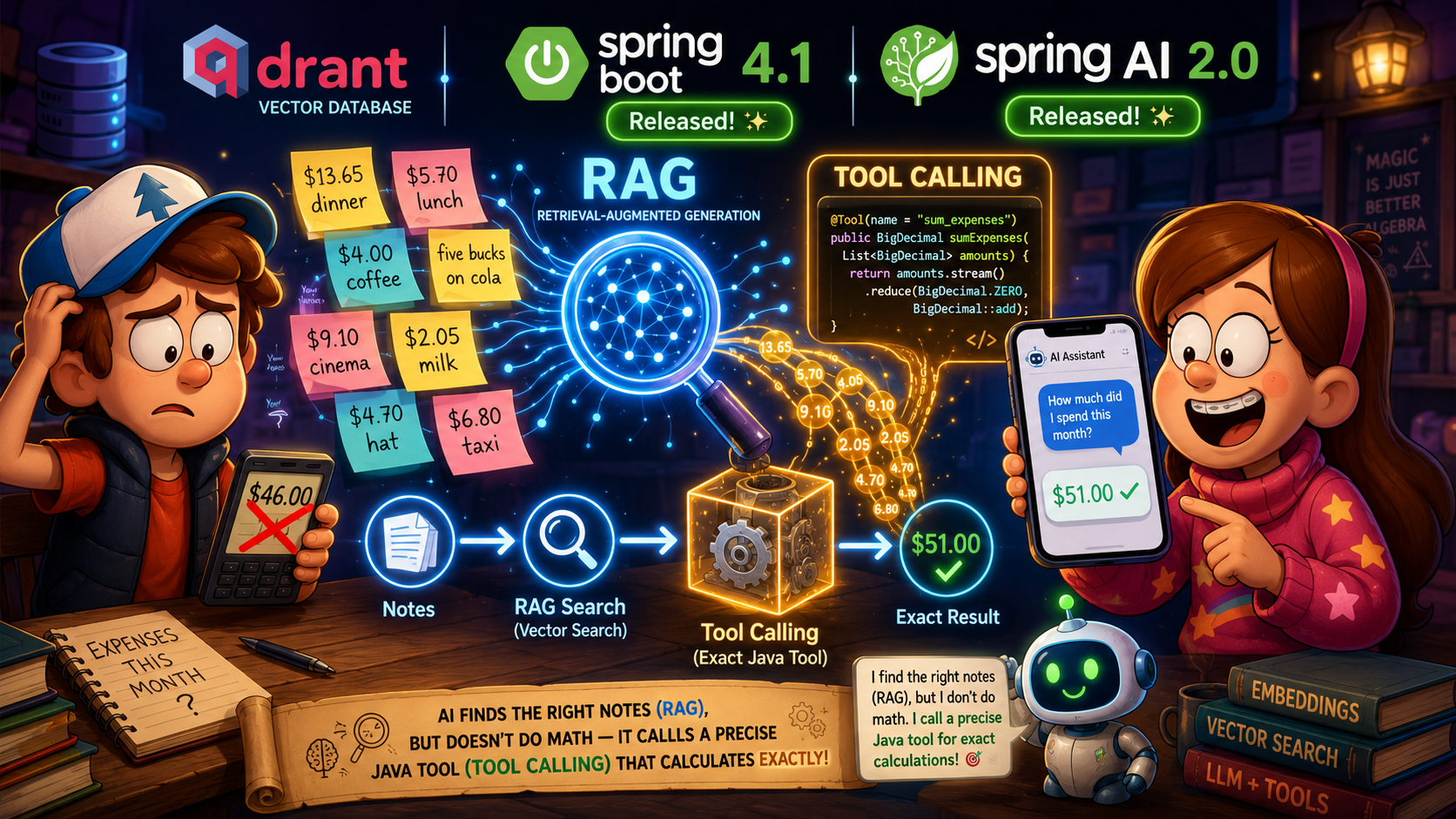
In previous articles, we integrated local LLMs for test generation and set up semantic search with Qdrant. Now it’s time to tie these ideas together and build a proper RAG application. We’ll create a service that can retrieve relevant notes, pass them into an LLM context, and — crucially — use Tool Calling to perform exact calculations. Using monthly expense tracking as our example, we’ll see how Spring AI 2.0 and Spring Boot 4.1 help unify search, generation, and external tools into a cohesive, reliable solution.
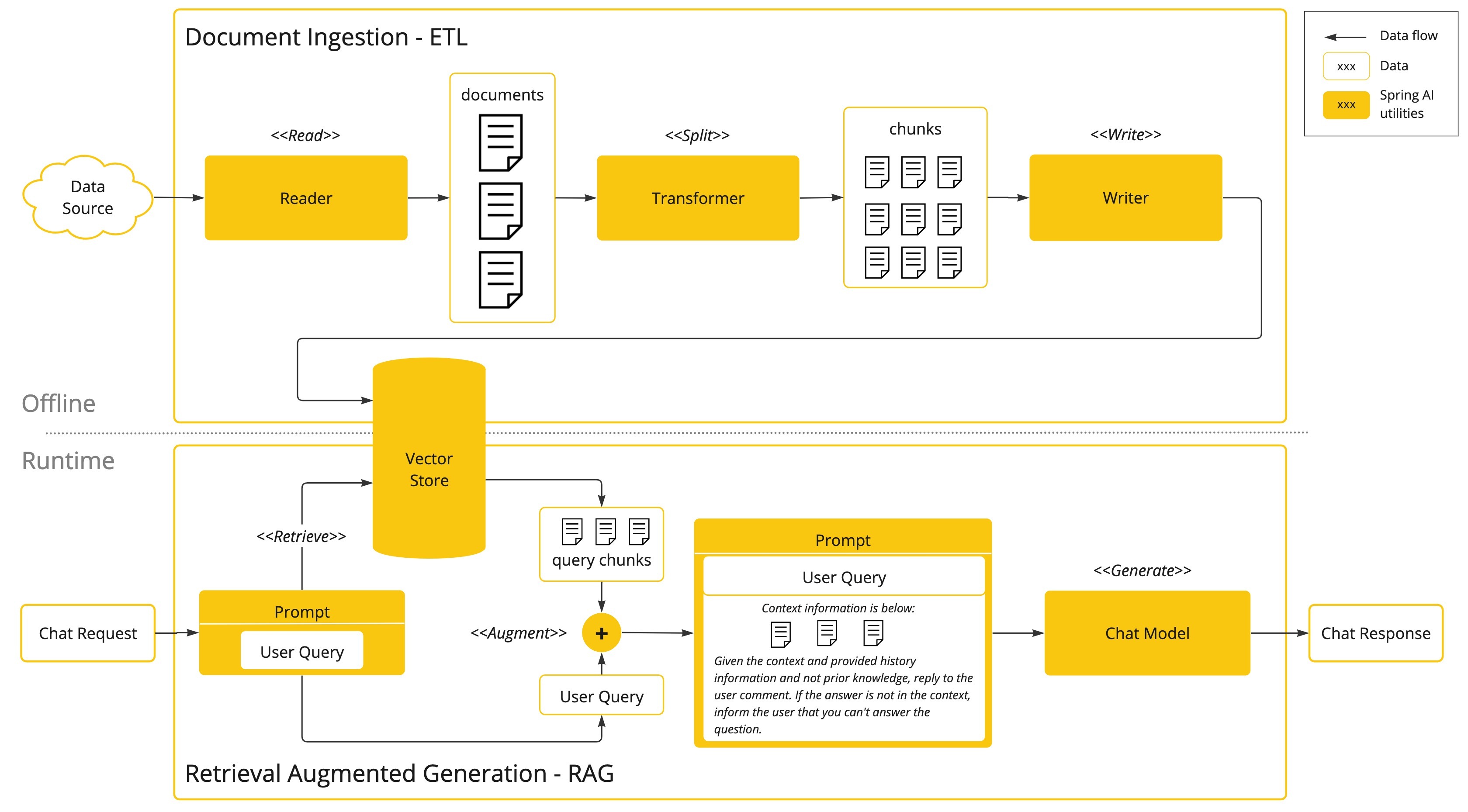
Let’s build something like this:
https://docs.spring.io/spring-ai/reference/concepts.html
Setting Up Spring AI and Qdrant
We already have a setup for Spring AI: this configuration provides a Model for Ollama embedding evaluation, specifies where Ollama is started and provides configuration for Qdrant — a store where we keep Notes and their embeddings (vectors).
| |
And we have indexing set up in vector store (Qdrant in our setup) upon Note creation. We also have an API to retrieve documents based on a prompt provided via REST API.
Adding the Chat Model
The next step is to combine results and pass them with a custom user prompt to Chat Model.
So we need to introduce Chat Model into our application. Let’s extend the existing configuration with spring.ai.ollama.chat.model properties:
In the previous article we used qwen2.5-coder:7b - the problem with this model is that it does not support AI Tooling - It supports it, but instead of calling the tool it will just respond with a response that contains parameters to call. So my recommendation is to start with qwen2.5:7b
| |
We need to extend pom.xml with dependencies for Spring AI 2.0:
Implementing the RAG Service
Next, let’s extend the controller with the ability to ask questions. This prompt, based on the schema above, should be passed through the RAG model. We need to first pull Notes from the Qdrant store then append the prompt to this context and pass the request to Chat Model:
| |
And let’s add a default ChatClient to the Spring Boot Context.
Next, we need a RagService which will serve ask api. Technically, we have two options for how we could implement RAG with Spring AI 2.0:
- Using QuestionAnswerAdvisor
- Using RetrievalAugmentationAdvisor
Let’s implement with RetrievalAugmentationAdvisor. We need to pass VectorStoreDocumentRetriever as well.
| |
Testing the RAG Pipeline
OK, we can build and run the application and check the curl request for Notes with the ‘spent money’ query
We will observe documents in the response that are relevant to the search Next, let’s check the result for the new REST API query /ask with RAG support for ‘sum spent money’
| |
Let’s verify the response: $13.65 + $5.70 + $4.00 + $5.00 + $2.05 + $9.10 + $4.70 + $6.80 = $51 - but the AI calculates it as $46.00. We could experiment with the prompt and try to switch the model but as an alternative we could use AI Tooling.
Solving the Accuracy Problem with Tool Calling
https://docs.spring.io/spring-ai/reference/api/tools.html
A model can respond to prompts, but an AI model can also perform side effects. Side effects can be implemented as Tool Calling for AI. This allows AI to request weather information, use a calculator for math operations, or execute ‘rm -rf’ - yes, you need to pay attention.
We need a specific Math Tool that should solve the task of summarising spent money.
| |
As you can see, this is a regular Spring component/Bean with a method annotated with:
- org.springframework.ai.tool.annotation.Tool;
- org.springframework.ai.tool.annotation.ToolParam;
You should provide a description for the tool and its parameters. Now we can register this tool with RAGService:
Verifying the Results
That’s all. Let’s try to run the app and make the same request:
Much better — the exact expected result. You can also check the logs:
| |
As you can see, our CalculatorTools was responsible for providing the correct answer - based on the information taken from the RAG pipeline.
Conclusion
In this article, we successfully built a complete RAG application by combining three key pieces: semantic search with Qdrant, local LLMs via Ollama, and Tool Calling for precise calculations. We started with a working setup from previous articles, added a Chat Model, and implemented retrieval-augmented generation using Spring AI 2.0’s RetrievalAugmentationAdvisor.
The complete source code is available on GitHub. Feel free to experiment, extend, and build your own RAG-powered solutions.