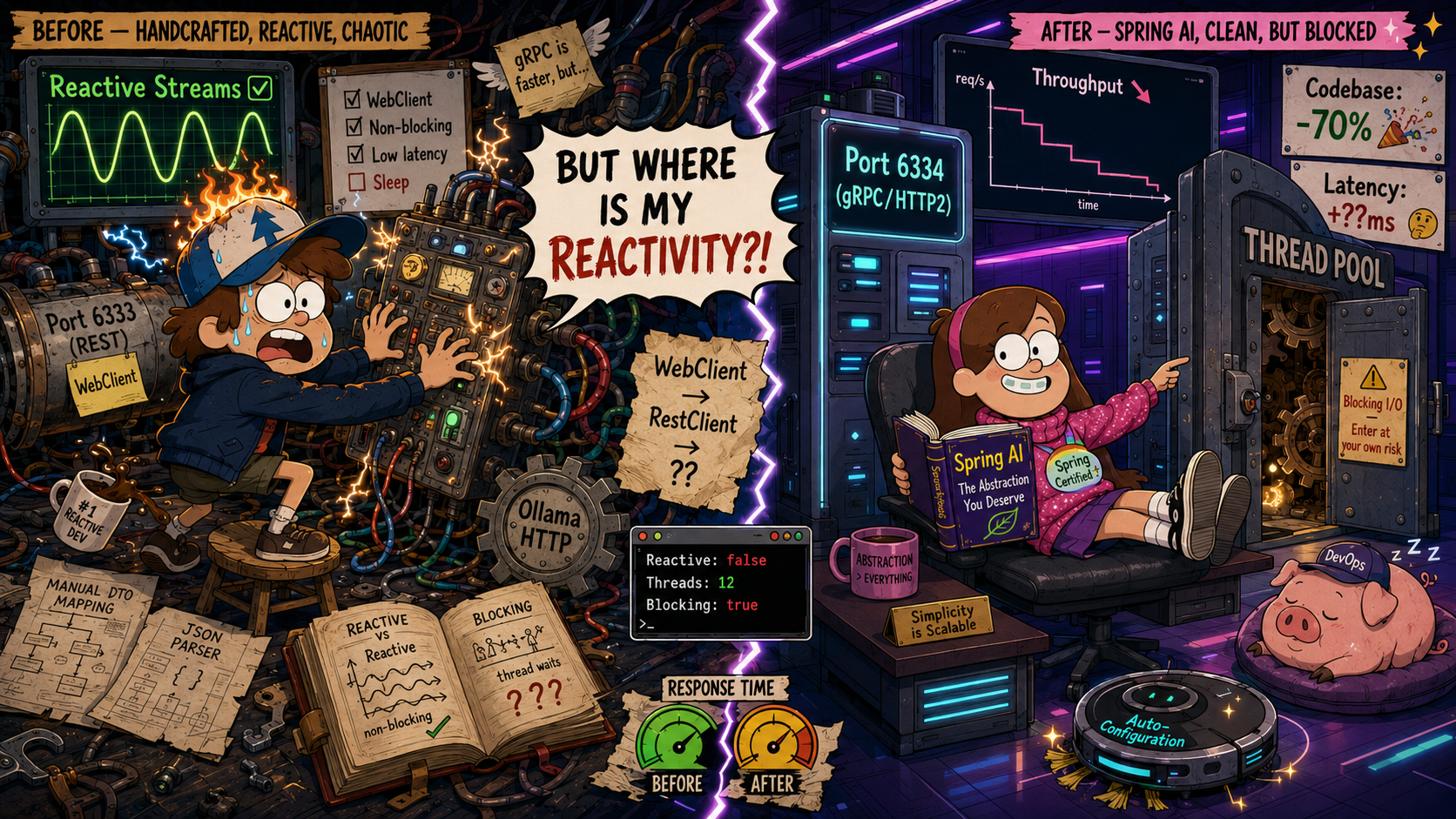
This note is a continuation of the previous part. The motivation was to compare approaches to implementing the integration with AI:
- Ollama: responsible to calculate embeddings vectors
- Vector database, Qdrant in our case: responsible to keep and search Notes
Let’s start with a summary. This conclusion was obvious even before touching the code, but after playing around, it has been confirmed.
Better to start with Spring AI if integration is needed. It provides a good abstraction layer, including:
Spring AI provides starters for more than 20 vector databases.
However, it has some constraints that need to be considered when planning project integration, such as:
- Spring AI: No WebFlux version for Ollama and Qdrant clients
- Embedding beans are hidden by Qdrant clients, and vectors are evaluated automatically
- Qdrant gRPC (port 6334 by default) is enforced, with no way to use the REST API (port 6333)
Even if a custom implementation is preferable for your project, it’s better to decouple it from your business logic using your own Spring starter:
Setting Up Spring AI for jroom36-notes
| Handcrafted WebClient | Spring AI |
|---|---|
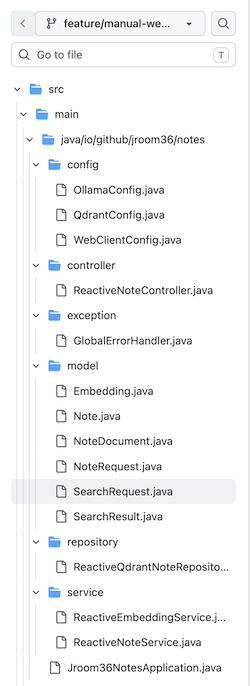 | 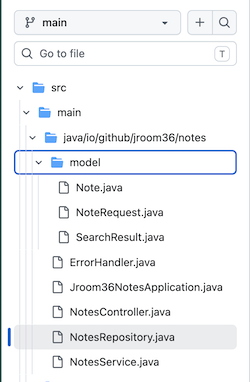 |
| REST + Port 6333 | gRPC + Port 6334 |
The old version with the manual WebClient approach is available at:
https://github.com/alexey-yurganov/jroom36-notes/tree/feature/manual-webclient-calls
The new version with the Spring AI approach is available at:
https://github.com/alexey-yurganov/jroom36-notes/tree/main
You’ll need to update application.yaml with the configuration for Ollama and Qdrant:
| |
You’ll also need to update the dependencies (pom.xml):
| |
Custom configuration classes can be removed: QdrantConfig, OllamaConfig, WebClientConfig.
Custom models like Embedding, NoteDocument, and SearchRequest can also be removed.
Spring AI provides an EmbeddingModel bean, which is automatically injected into the Qdrant client’s VectorStore:
- No need for a custom
ReactiveEmbeddingService; it can be removed.
The ReactiveQdrantNoteRepository implementation has been significantly simplified using Spring AI’s VectorStore.VectorStore extends two interfaces and provides deletion methods:
VectorStoreRetrieverfor searching documents:similaritySearchDocumentWriterfor writing documents
This is sufficient to implement CRUD operations for the Repository.
Spring AI provides SearchRequest:
- With an API to pass a query and threshold:
SearchRequest.builder().query(q).topK(limit).similarityThreshold(threshold).build() - With a
filterExpressioncapability, allowing you to search by metadata stored alongside your payload:SearchRequest.builder().filterExpression(expr).build()
Don’t Forget to Unblock the Main Loop
Since we’re using WebFlux, we need to ensure that non-reactive operations don’t block the main event loop. A common pattern for this is:
| |
This instruction offloads the call to a separate pool, but it uses the common pool.
If your application has different types of blocking activities, for example:
- JDBC calls
- Calls to Ollama
- Calls to Qdrant
It’s better to use dedicated pools for each type of activity, with appropriate thread policies:
This will protect your application so that embedding vector calculation requests don’t block database requests, and users can still access even the main page of your app.